
Snap the receipt
Your phone reads the words itself for receipts in English, Spanish, French, German, Portuguese, Turkish and Indonesian. Others are read from the photo.
 For iPhone · receipts, groceries and budget
Scan a receipt and every line is saved with its price. Over time you get your own price history: where milk is cheaper, how fast your basket is rising, and what is left to spend today.
Your phone reads the words itself for receipts in English, Spanish, French, German, Portuguese, Turkish and Indonesian. Others are read from the photo.
Each line becomes an item with its size and unit price. Fix anything before it is saved. Nothing is added that you did not see.
Your budget, your history and your price comparisons update from that one scan. The longer you use it, the more it knows.
A bank knows where you shopped and how much you paid. Only the receipt knows what you bought. So that is where Penny Roost starts.
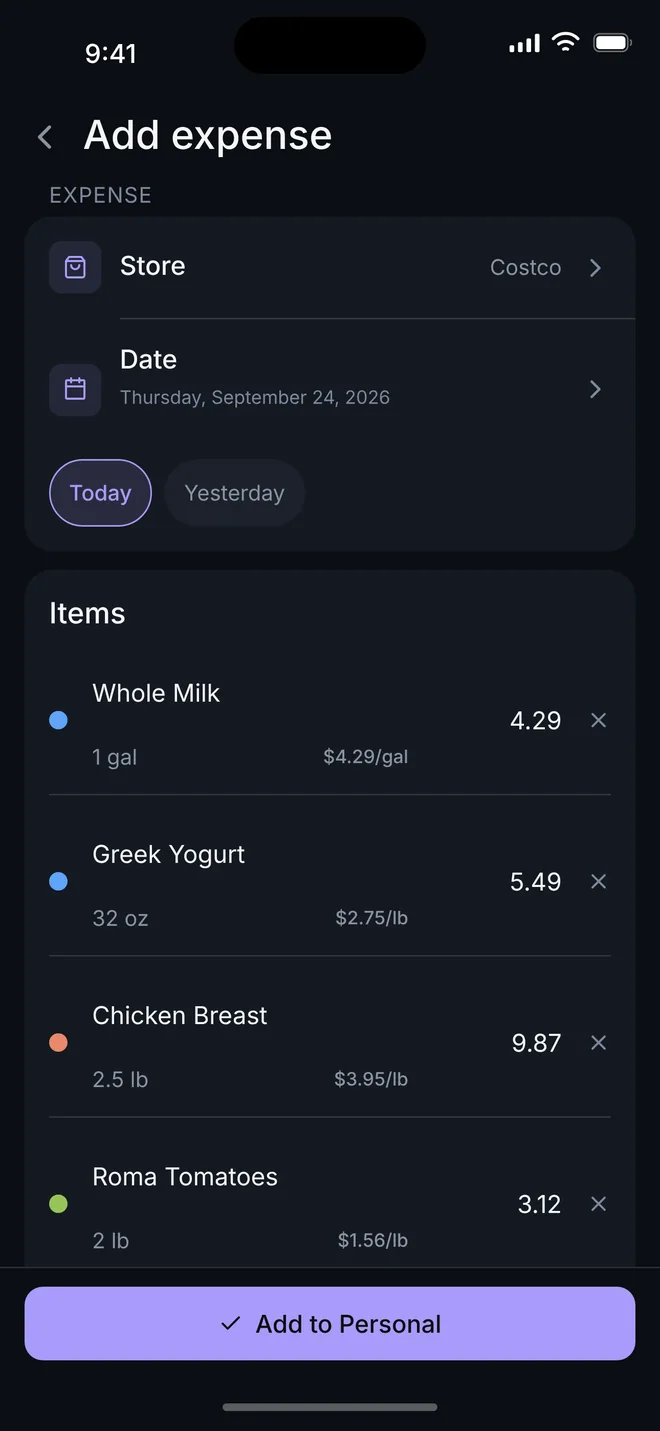
Point the camera at a receipt and Penny Roost turns it into items you can read: plain names, sizes, prices, and the unit price worked out for you. You look it over, then it is saved.
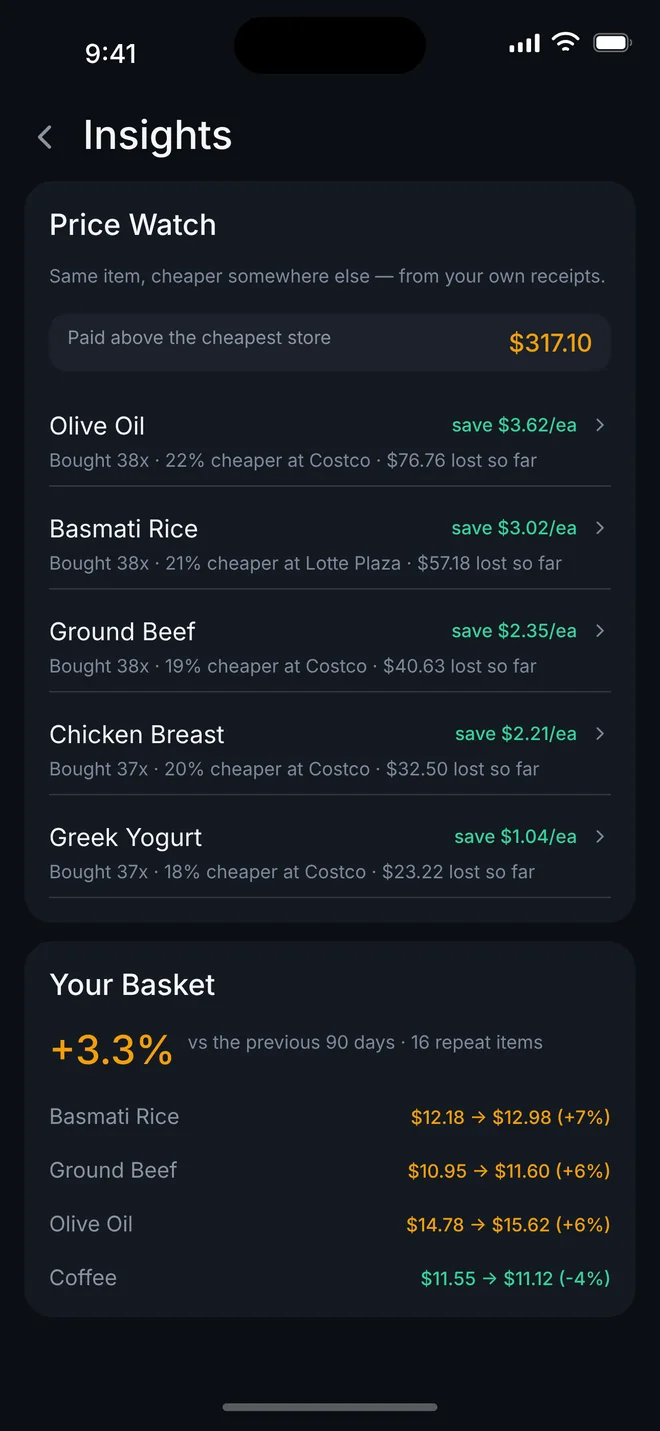
The same item, at the stores you actually shop, at the prices you actually paid. Penny Roost points out where something costs less and how much the difference has cost you so far.
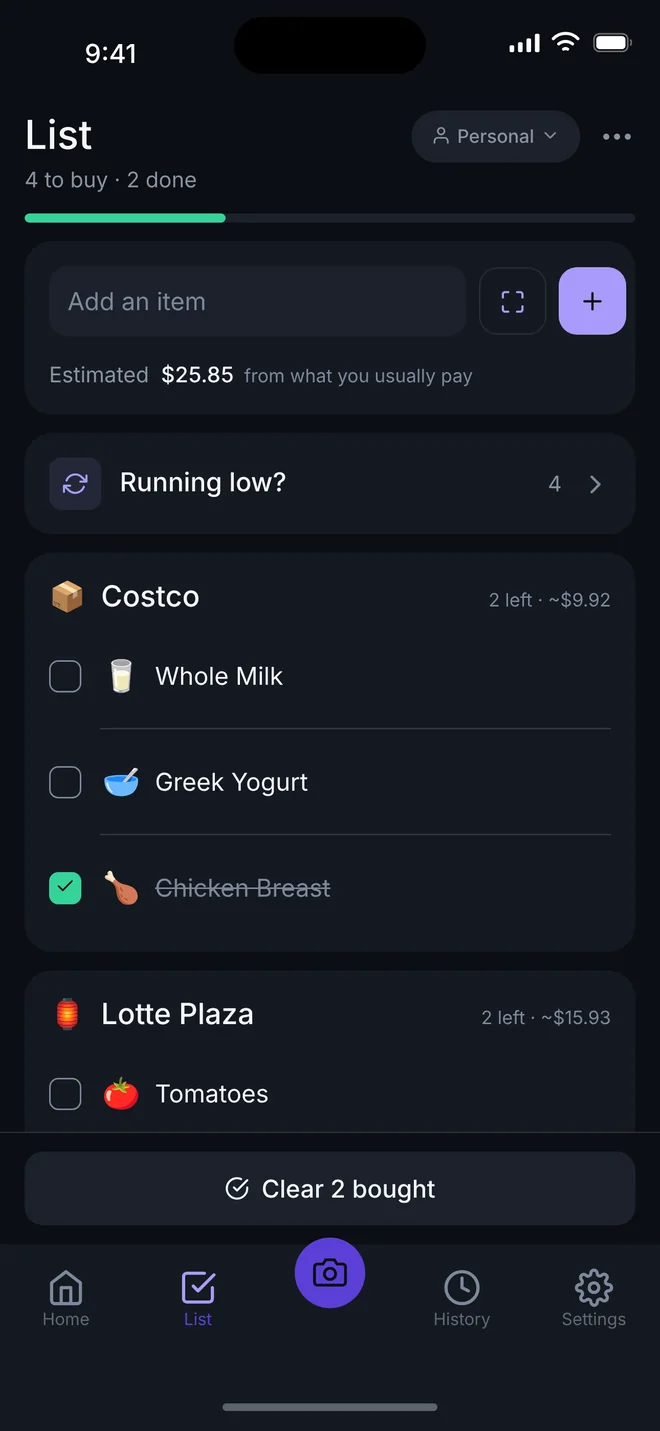
Your list sorts itself by store and estimates the total from what you usually pay. When something you buy often is due again, it asks whether you are running low.
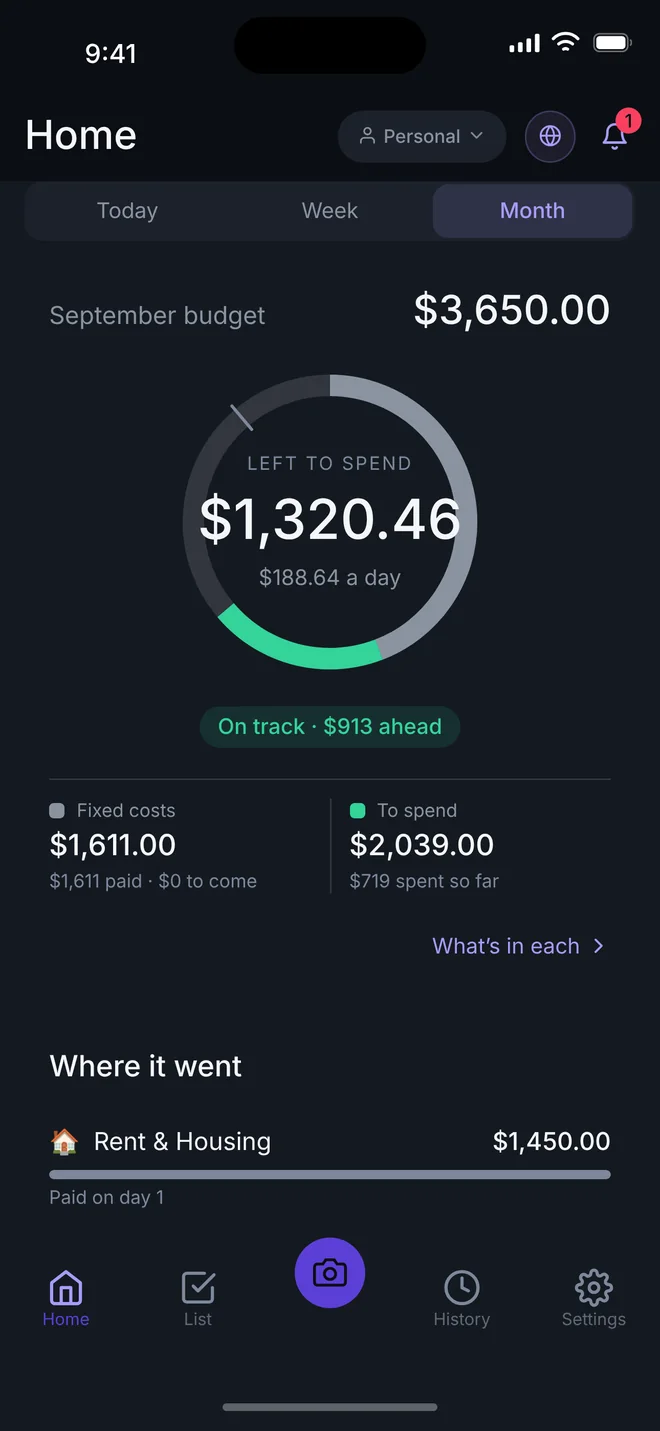
Set a monthly budget and the ring shows what is left to spend and what that means per day. Rent and bills post themselves on their due date, so fixed costs are counted before you spend.
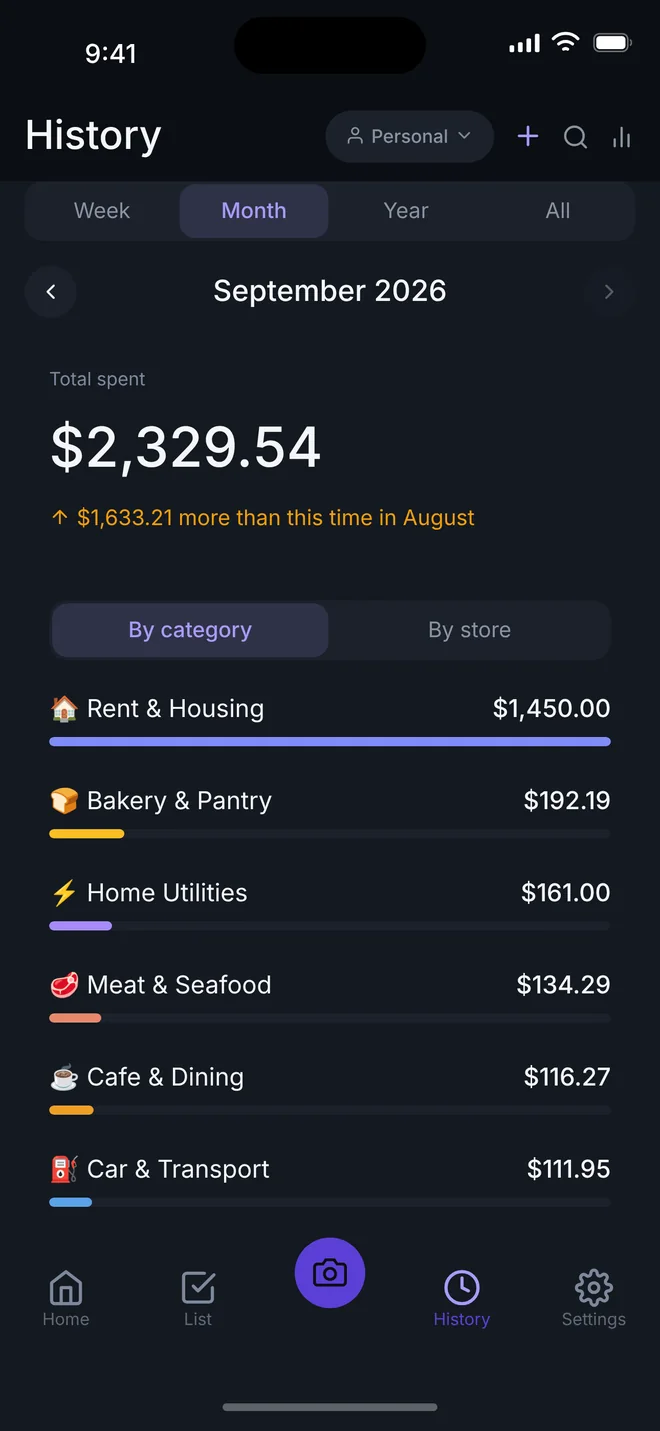
Week, month or year, by category or by store, compared with the same point last month. Tap a category to see the receipts behind it.
A screenshot of your Apple Wallet or bank app becomes one expense per payment, each under its own store.
Share a list and a budget with up to six people. Only what you mark as shared leaves your phone.
Fourteen languages, including Urdu, Arabic, Farsi and Pashto, written right to left as they should be.
Typing, budgets, the list, history and Price Watch all work offline. No account needed to start.
Your expenses live on your phone. No ads, no selling your data, no tracking you across other apps.
Receipts are read with AI, and Penny Roost asks before anything is sent. Say no and everything else still works.
When your phone can read the words, only the text is sent. Otherwise the photo is sent, read, and not kept. Your totals, budgets and history are never sent to the AI.
In a household, only the expenses and lists you mark as shared are synced. Everything else stays on your phone.
Everything you need to track your own spending is free and stays free.
Prices in US dollars. Other countries see their local price in the App Store.
Yes. Typing expenses, budgets, the shopping list, history and Price Watch all work offline. Scanning a receipt and sharing with your household need a connection.
No. Everything works without signing in. An account is only needed to share a household.
They are saved on your phone so you can look at the original later. They are never synced and never in backups or exports, and a photo sent to be read is not kept.
Most printed shop receipts, and screenshots of card payments. Receipts in English, Spanish, French, German, Portuguese, Turkish and Indonesian are read on your phone; others are read from the photo.
Yes. One person starts a household with the subscription and invites others with a link or a QR code. Joining is free.
On your iPhone, open Settings, tap your name, then Subscriptions, and choose Penny Roost. Apple handles the billing.
Yes. Export a backup file to restore on another phone, or a spreadsheet with one row per item.
Not yet. Penny Roost is on iPhone first.

Free to download, and free to keep using for your own spending.
Download on the App Store